

Behaviour Lens library
Enter your archive administrator key once to open the library and manage your saved analyses.
The key is kept only in this browser tab’s session. Closing the tab ends the session.

Behaviour Lens
Visualisation library
Archive administration — import older analyses
Imports copy stored JSON only. No Elicit or OpenAI processing. Your administrator key is checked when you open the library; no additional prompt is needed here.
Enter the analysis ID used by the old HTML. For Water Efficiency: water-behaviour-comb-v3.
Select the saved JSON output, not the HTML page. Original theme images, sub-points and quotations are preserved.
Find completed Worker 3 runs across all saved versions. Choose which to copy into the permanent archive. Searching only reads saved files; it never runs Elicit or GPT.
Copy a completed R2 result from an earlier Worker 3 version. Use its exact session ID and R2 version prefix.
Publishing details
Edit the title and optional target behaviour shown on the public Behaviour Lens page. These details are saved independently of whether the analysis is published.
Initially filled from the original research brief. Editing this does not change the original research.
Initially filled from the original target behaviour. Leave blank to hide this section on the public page.
Research brief
Target behaviour
View additional research context
Strategic summary
Manage themes
Choose which themes appear on the COM-B wheel and evidence display. The original analysis remains unchanged.
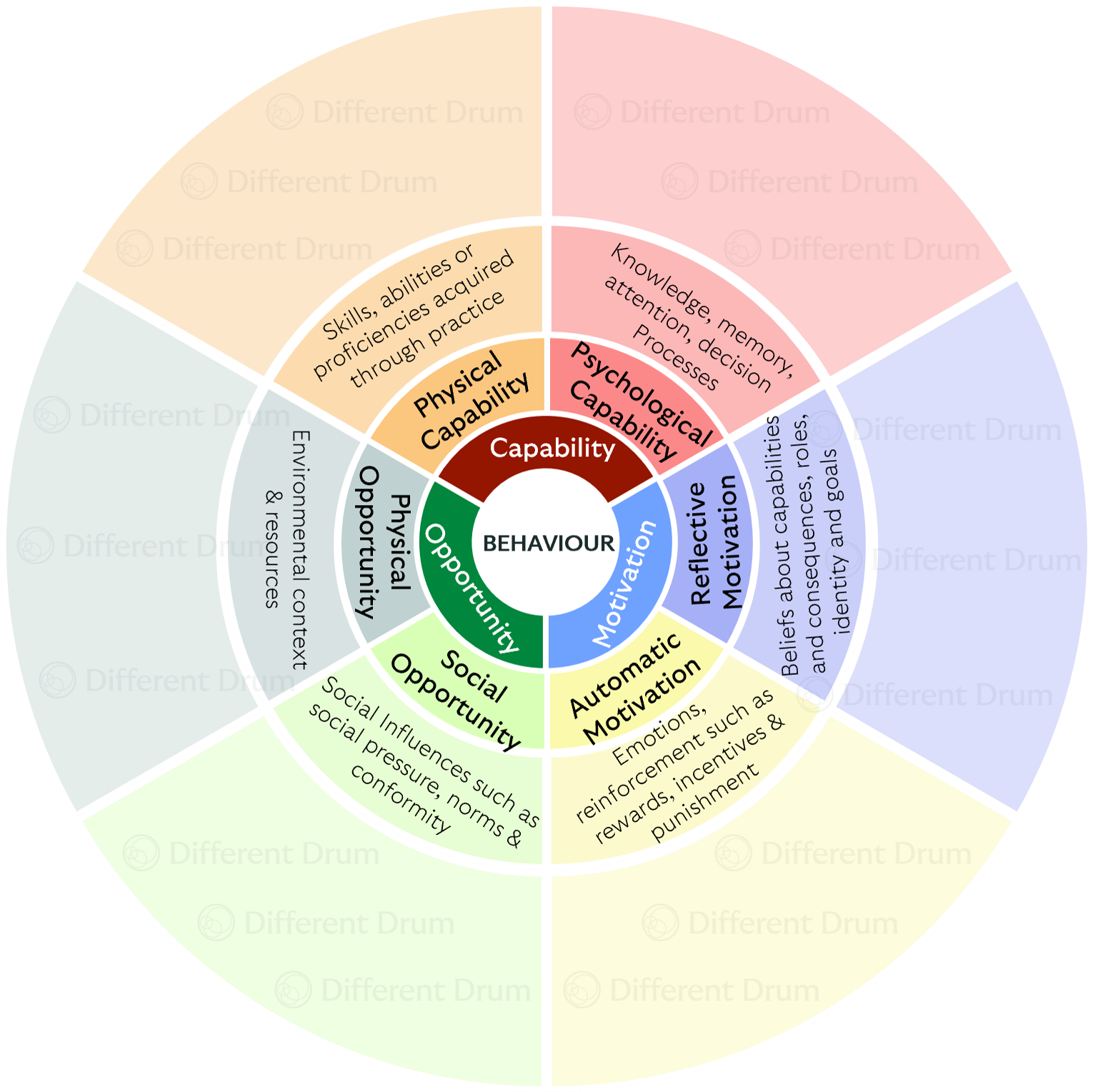
Explore the evidence
Select a theme on the COM-B wheel to see the evidence behind it.